Ecsow’s AI detection does two separate jobs. First it turns speech into text. Then it decides what the text means: a person, a voicemail, a screening assistant, a transfer message, or a phone menu.
The second job is a plain text file. You can edit it with Notepad. That is what this page is about.
Where the file lives
rules.tsv sits in the folder where you installed Ecsow. Open that folder and you will find it next to the program.
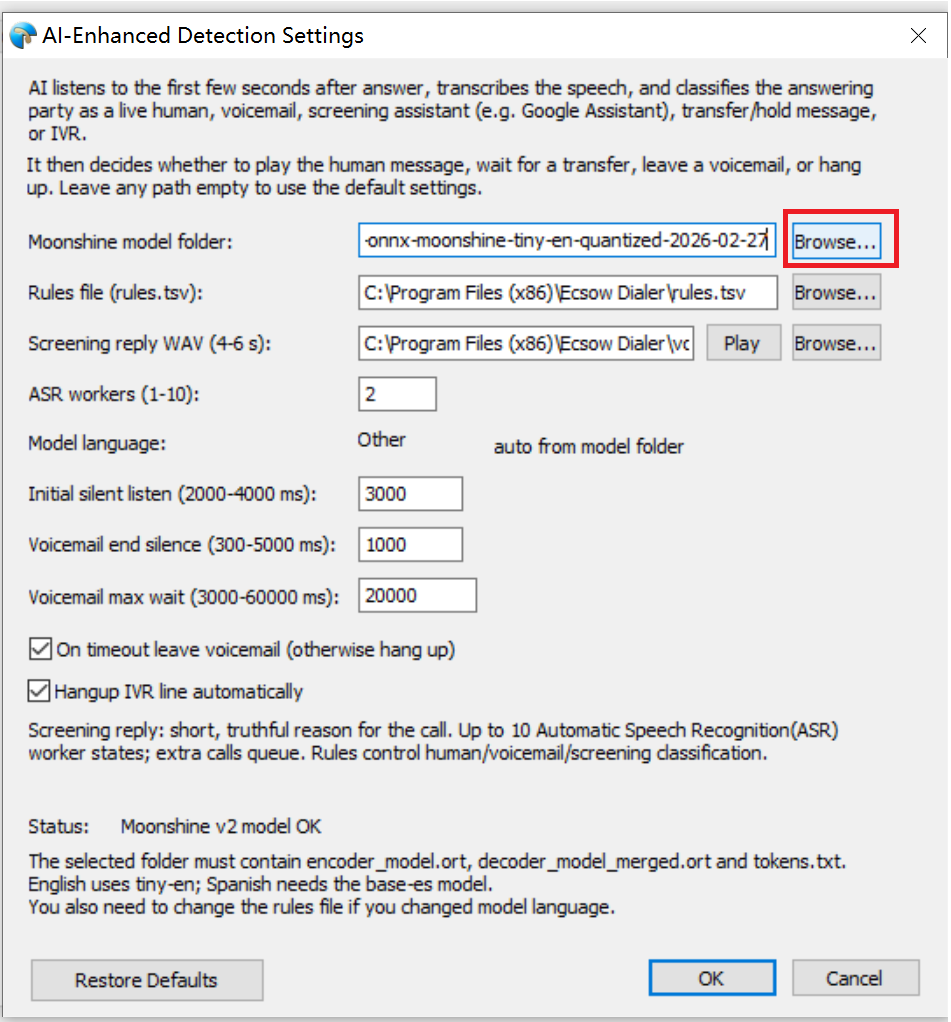
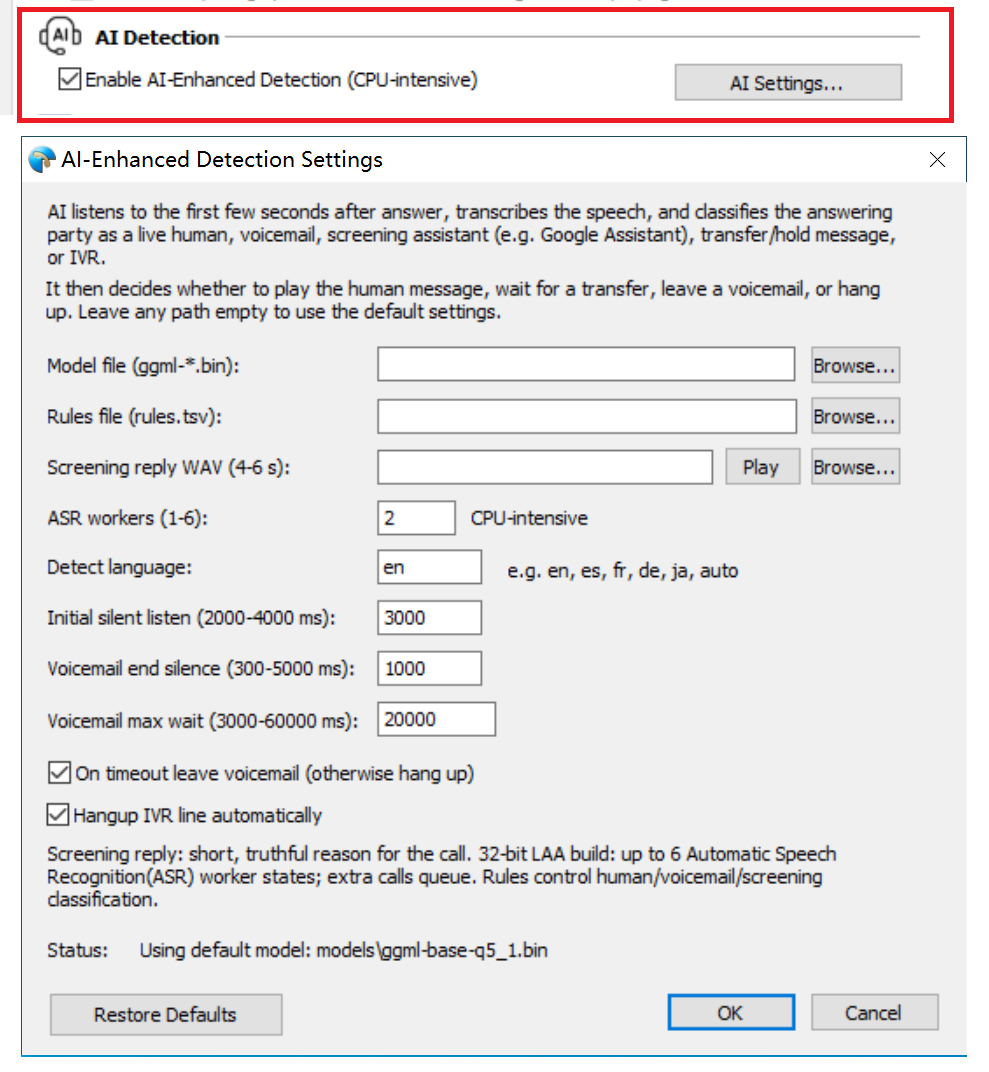
There is a second place it can be set: the Rules file field in Tools > Options > Voice Activity Detection > AI Settings. If that field points somewhere else, your edits to the install-folder copy do nothing. Check it once and you will not lose an afternoon to it.
Three columns, five labels
Each line is one rule. Three columns, separated by a single Tab character:
S	4	who is calling
H	4	this is he
VM	5	leave a message after the tone
T	5	please hold while i connect you
IVR	5	press 1
Read the first line as: label S, weight 4, phrase “who is calling”.
Those five letters are the whole vocabulary. Everything else in the file describes how strongly a phrase points at one of them.
Weights, and the number 4
The weight says how much you trust a phrase. Each match adds its weight to that label’s score. The call is only classified once a score reaches 4.
So one weight-5 phrase is enough on its own. Two weight-2 phrases also get there. A single weight-2 phrase does not, and that is on purpose — it stops one loose word from deciding a call.
Keep weights between 1 and 5:
- 5 — a complete sentence that could barely mean anything else, like “leave a message after the tone”
- 4 — a strong phrase, like “this is he”
- 3 — fairly specific
- 2 — common and ambiguous, like “hello”
- 1 — a weak hint you expect to combine with others
If two labels both reach 4, order decides, not size. IVR wins first, then transfer, then screening, then voicemail, then human. A larger score does not override that order.
What the matching actually sees
Rules are compared against cleaned-up text, not what the caller literally said. Before matching, the transcript is lowercased, punctuation becomes a space, and apostrophes are removed rather than expanded.
That last one catches people. “Who’s calling” becomes whos calling, while “who is calling” stays who is calling. Two different strings. If callers say both, add both lines.
Hyphens split words, so “follow-up” arrives as follow up. Chinese characters and Spanish accents are kept as they are, so write them the way they appear in the transcript.
Matching is whole-phrase and looks for complete words. A rule of virtual assistant matches inside “you have reached the virtual assistant for Mark” but not inside “virtual assistants”. Longer phrases are usually the better bet. A single broad word like “assistant” also fires when a human says “can I speak to the assistant?”.
Five steps to change something
1. Back up the file. Copy rules.tsv to rules.tsv.bak. You will want the old one back at least once.
2. Edit with a real editor. Notepad++ or similar, set to UTF-8, with whitespace visible. The Tab characters have to be visible or you cannot tell them from spaces.
3. Add one to three specific phrases. Not thirty. One or three, from calls you actually heard go wrong.
4. Save, then restart Ecsow completely. The file is read once, at startup. Closing the window is not enough — exit the program and open it again. There is no reload button.
5. Test it on a call you can predict. Ring a number you already know the answer on: your own voicemail, a screening line, a bank’s phone menu. Then watch what Ecsow does with it.
A voicemail should get your recording. A screening assistant should get your short reply. A keypad menu should be dropped. If the call lands in the wrong bucket, the rule did not fire — and that is nearly always a Tab problem, an apostrophe difference, or the wrong copy of the file.
Four mistakes that cost the most time
Two more small ones. A # at the start of a line is a comment, but a # in the middle is part of the phrase. And an extra Tab inside a phrase makes the line invalid, so it is skipped without complaint.
You can confirm which file is loaded, too. The Rules file field in AI Settings shows the full path it uses. If that path is not the file you edited, that is your answer.
What the rules cannot fix
A phrase table can only answer “what does this text look like?”. It does not control timing or playback.
If the transcript itself is wrong, no rule will help. Fix the model or the audio first: right language, decent recording, 8 kHz phone audio in, 16 kHz model in.
The rest belong to the application, not the file. A call reported as no human while it is still ringing is a startup-timing issue. A playback timeout is a callback issue. A screening call that waits for a transfer and gives up is policy, not classification.
Tuning without breaking what works
Add a little, test on real calls, then decide. Ten to twenty calls tell you more than one.
Two rules of thumb. Do not raise “hello” or “who is this” to 5 just to fix one case. Both are said by screening assistants too, and you will trade one error for a worse one. And change one rule at a time. Five edits at once tell you nothing about which one worked.
If you have not set the feature up yet, start here. If your calls are not in English, install the matching model first. Rules for Spanish will not help a model that only understands English.
Quick answers
Do I need to edit this file at all?
No. The default rules cover normal English calls. Edit it when you hear a specific phrase go wrong more than once.
Does it matter where I put the file?
Yes. It is read from the install folder, or from whatever path the Rules file field points to in AI Settings. Only one copy is used.
Why did my change do nothing?
Three usual reasons: spaces instead of Tabs, no restart, or the program is reading another copy. Check the Rules file field in AI Settings first.
Can I add rules in Spanish or Chinese?
Yes. Save the file as UTF-8 and keep accents and characters as they appear in the transcript. Chinese needs no spaces between characters unless the transcript has them.
How many rules is too many?
There is no limit, but a long list of single words makes labels fight each other. Complete phrases, fewer lines, higher confidence.
Does a higher weight always win?
No. A score of 4 is the entry ticket, and then the label order decides: IVR, transfer, screening, voicemail, human.